Χρειάζομαι την βοήθεια σας για την σύνδεση του Laptop μου με το DAC μέσω S/pdif.
Μέχρι στιγμής υπάρχει σύνδεση μέσω USB που δουλεύει άψογα.
Η ιστορία λοιπόν έχει ως εξής:
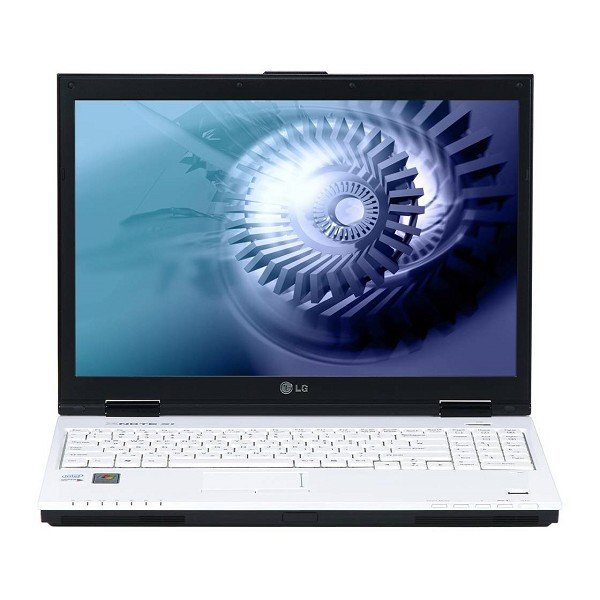
1. Είχα αυτό το Laptop: LG S1 Express Dual

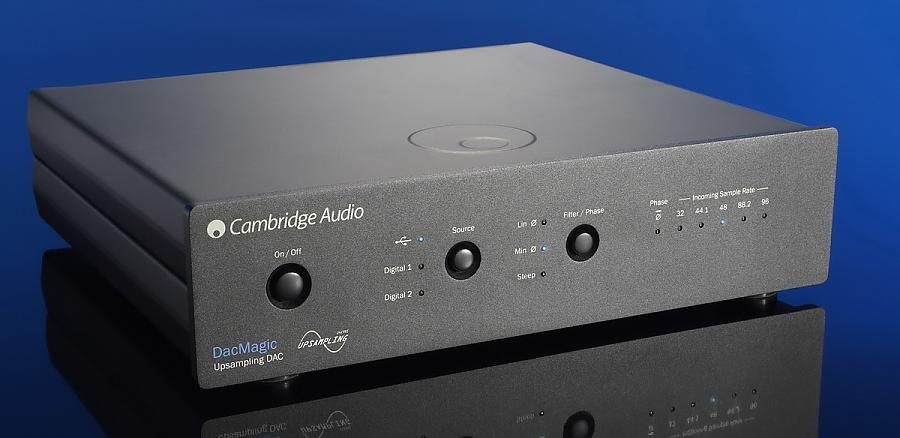
2. Αγόρασα και αυτό το Dac: Cambridge Dacmagic

3. To laptop διαθέτει s/pdif έξοδο (3) στην κάρτα ήχου (Realtek HD Audio) όπως αναφέρει στο manual. Έτσι αποφάσισα να την χρησιμοποιήσω για HD και 5.1 υλικό.
ΑΠΟ ΤΟ MANUAL ΤΟΥ LAPTOP:
▶ Right view
1. MIcrophone connector
2. Headphone connector
3. Line-in / S/PDIF Connector
4. IEEE 1394 Connector
5. Optical Disk Drive
6. Disk tray button
ΚΑΙ ΠΑΡΑΚΑΤΩ:
4-4. Using S/PDIF
Using S/PDI output connector you can enjoy the digital sound by connecting S/PDIF supporting amplifiers to the S/PDIF output connector.
S/PDIF is a customer purchased device.
▶ To enjoy the digital 5.1 channel sound.
(A/V receiver, components of digital amplifier)
Digital output of this model is supported by S/PDIF terminal.
The following environment is required to use digital 5.1 channel.
1. A DVD title recorded by digital 5.1 channel sound.
2. DVD program that supports digital 5.1 channel (ex: 'PowerDVD XP 4.0' or newer)
3. A/V receiver or digital amplifier to support the digital 5.1 channel sound.
4. S/PDIF terminal
4. Αγόρασα ένα Supra Coaxial 75 Ω καλώδιο RCA to RCA:

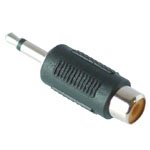
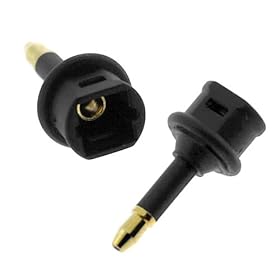
5. Το βύσμα όμως στο laptop δείχνει να είναι jack. Αγόρασα λοιπόν των παρακάτω αντάπτορα και το έβαλα στην μία πλευρά του Coaxial.

6. Έκανα τις απαραίτητες συνδέσεις και ενεργοποίησα την S/Pdif μέσω του software της Realtek ΑΛΛΑ Ακόμα δεν Παίζει.
Τι μπορεί να συμβαίνει ???? Help !!! Help !!!!
Στο μόνο που πάει το μυαλό μου είναι το RCA to Jack ανταπτοράκι.
Bart
Μέχρι στιγμής υπάρχει σύνδεση μέσω USB που δουλεύει άψογα.
Η ιστορία λοιπόν έχει ως εξής:
1. Είχα αυτό το Laptop: LG S1 Express Dual
2. Αγόρασα και αυτό το Dac: Cambridge Dacmagic
3. To laptop διαθέτει s/pdif έξοδο (3) στην κάρτα ήχου (Realtek HD Audio) όπως αναφέρει στο manual. Έτσι αποφάσισα να την χρησιμοποιήσω για HD και 5.1 υλικό.
ΑΠΟ ΤΟ MANUAL ΤΟΥ LAPTOP:
▶ Right view
1. MIcrophone connector
2. Headphone connector
3. Line-in / S/PDIF Connector
4. IEEE 1394 Connector
5. Optical Disk Drive
6. Disk tray button
ΚΑΙ ΠΑΡΑΚΑΤΩ:
4-4. Using S/PDIF
Using S/PDI output connector you can enjoy the digital sound by connecting S/PDIF supporting amplifiers to the S/PDIF output connector.
S/PDIF is a customer purchased device.
▶ To enjoy the digital 5.1 channel sound.
(A/V receiver, components of digital amplifier)
Digital output of this model is supported by S/PDIF terminal.
The following environment is required to use digital 5.1 channel.
1. A DVD title recorded by digital 5.1 channel sound.
2. DVD program that supports digital 5.1 channel (ex: 'PowerDVD XP 4.0' or newer)
3. A/V receiver or digital amplifier to support the digital 5.1 channel sound.
4. S/PDIF terminal
4. Αγόρασα ένα Supra Coaxial 75 Ω καλώδιο RCA to RCA:
5. Το βύσμα όμως στο laptop δείχνει να είναι jack. Αγόρασα λοιπόν των παρακάτω αντάπτορα και το έβαλα στην μία πλευρά του Coaxial.
6. Έκανα τις απαραίτητες συνδέσεις και ενεργοποίησα την S/Pdif μέσω του software της Realtek ΑΛΛΑ Ακόμα δεν Παίζει.
Τι μπορεί να συμβαίνει ???? Help !!! Help !!!!
Στο μόνο που πάει το μυαλό μου είναι το RCA to Jack ανταπτοράκι.
Bart