People want to show their individuality anytime and anywhere with their inimitable hairstyle, clothing, and other things. Your phone's ringtone is also really important to show your difference from others. So how to make your own unique ringtone for your incoming calls, clock alarms, clock timer becomes a really important thing.
Today I will show you how to make your own iPhone ringtones from your DVD/video/music. Someone will say that you can buy them on itunes. Yes, everybody can buy it. It is not unique and special. Let's make our own iPhone ringtone together.
Things you need:
1. DVD/video/audio files that contains the music you want
2.iPhone Ringtone Maker
3. Computer(Windows/Mac)
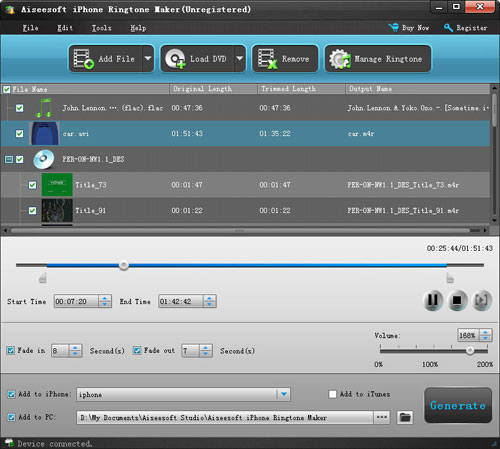
Step 1: Load File/DVD
Load your video/audio files or DVD to this iPhone Ringtone Maker
Step 2: Choose music
You need to choose which part you want to convert as your iPhone ringtone or you want to make the whole files as your iPhone ringtone. Just drag the bar to set the begin point and end point
Step 3: Pre-listening
You can pre-listening the ringtone, if you do not like it you can adjust the length of your ringtone.
Step 4: Make Ringtone
After you have done all the tings above, you can click “Generate” button to start the conversion.
Soon you will get your own ringtone.
Tips:
1. if you want to put your ringtone directly to your iPhone, please check the box before “import to iPhone”.
2. if you want to manage your ringtone, you can click “manage ringtone” button to do it easily.
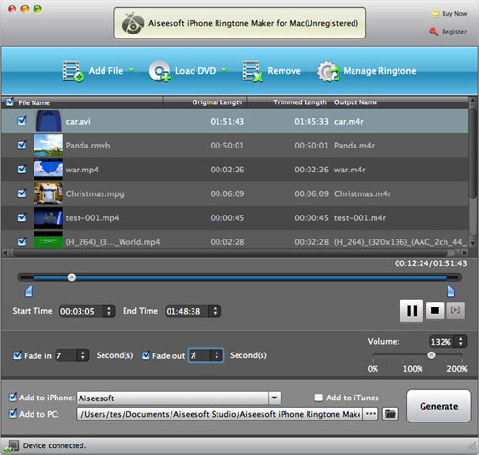
For Mac users, you can use
iPhone Ringtone Maker for Mac to do this easily with the same operation as windows one.
To help you to make your iPhone and iPod more enjoyable here I also recommend you this
DVD to iPod Converter,
DVD to iPhone Converter and
iPod Transfer
Total Video Converter
iPhone Ringtone Maker
Best DVD Ripper

 . . . . Ringtone Designer . . . . Τιμή: 0,79 ευρώ . . . . iTunes Link . . . . Free Version
 -
-  -
-